


Your dog hears you, not a beep
Dogs know your voice. Record Quiet, Bruno,
Settle down, it's okay
and Good dog
in your own words. Can't record? Choose one of three calm ready voices.
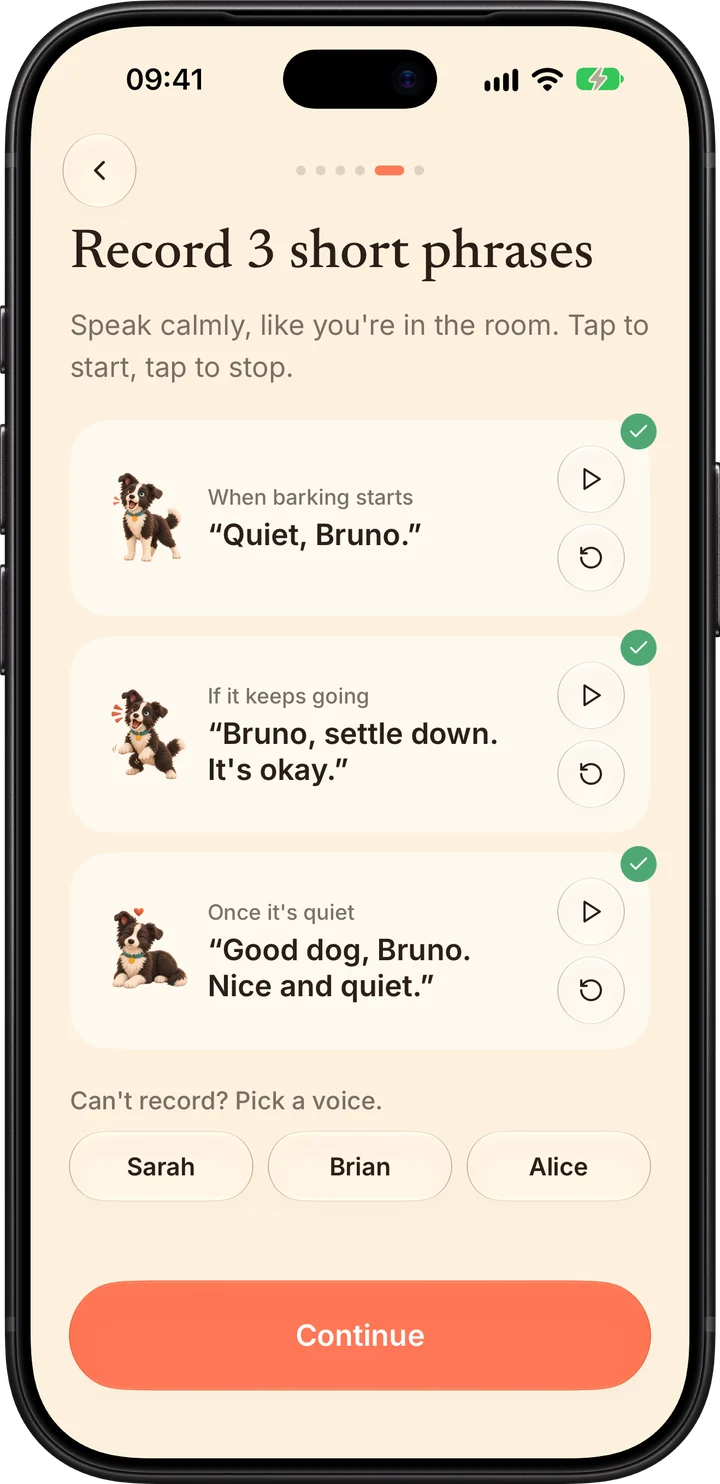
- Sarah
- Brian
- Alice
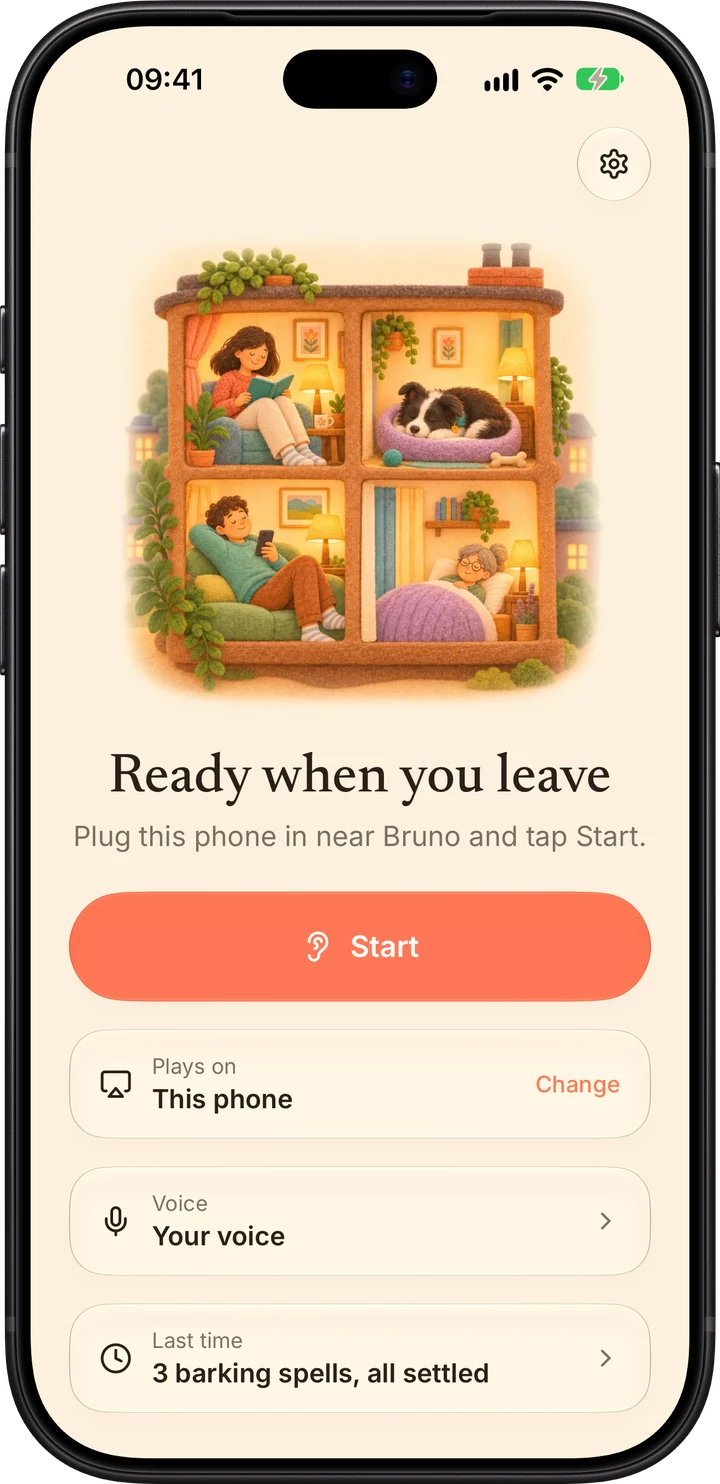
Leave a spare iPhone at home. Woof Watch hears barking and plays your calm voice, then praise once your dog is quiet.
Free to set up. 1-week free trial of Pro.
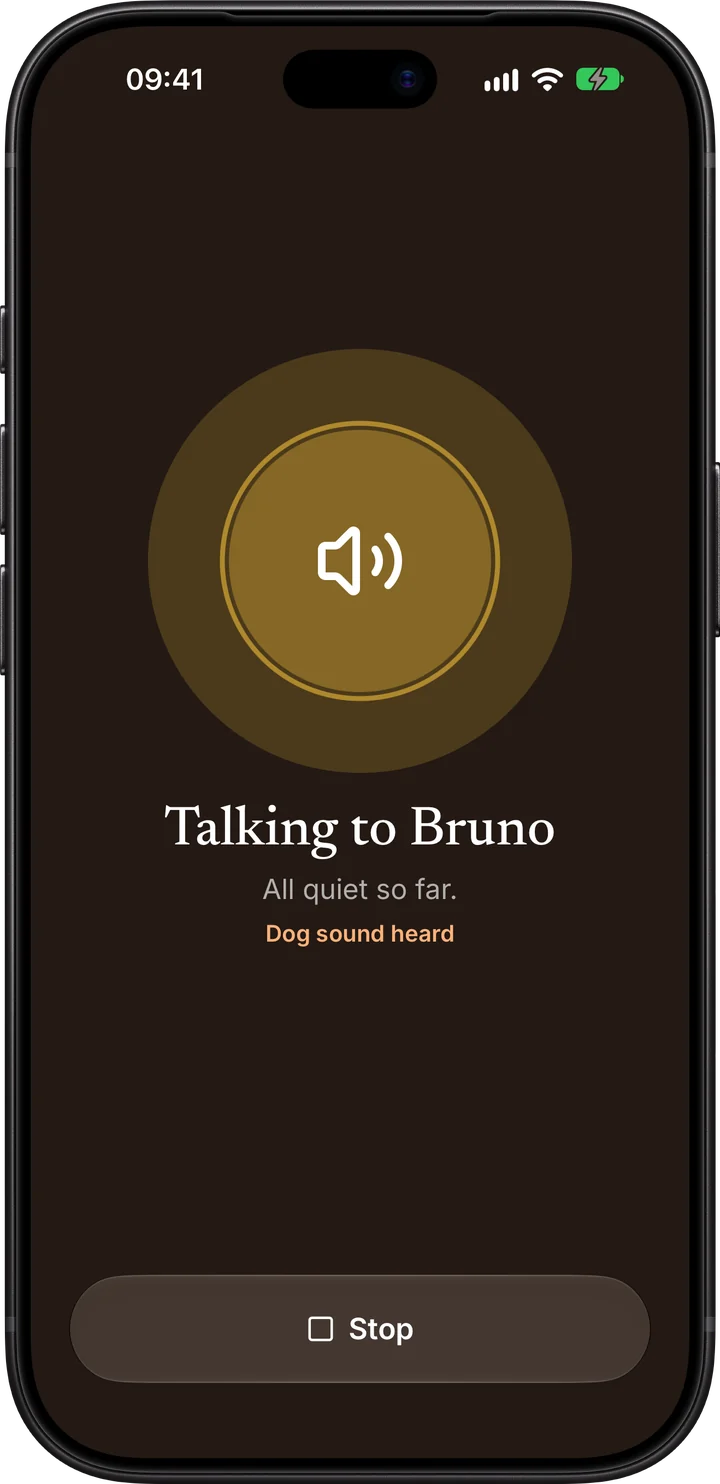
Quiet, Bruno.
The problem
You close the door and the barking starts. You don't hear it. Your neighbours do, and so does your dog's stress. By the time you're back, it's a note under the door.
 9:02You head out
 9:05Barking starts
 Next door, 11:20
Is your dog okay? He barked all morning.
 Building managerWe've had a noise complaint
How it works
An old iPhone or iPad works. Plug it in near your dog's favourite spot.
For when barking starts, if it keeps going, and once it's quiet. Or pick a ready voice.
Woof Watch listens while you're out, answers barking, and praises your dog for settling.
Everything happens on the phone you leave at home. Nothing to wear, no collar, no camera to watch.
Dogs know your voice. Record Quiet, Bruno,
Settle down, it's okay
and Good dog
in your own words. Can't record? Choose one of three calm ready voices.
Calm words first. If the barking keeps going, a reassuring phrase. Once your dog has been quiet for 20 seconds, praise. After four phrases it rests for three minutes, so it never turns into a shouting match.
Quiet, Bruno.
Bruno, settle down. It's okay.
Good dog, Bruno. Nice and quiet.

Every barking spell is logged: when it started, how long it lasted, what played, and whether your dog settled. See whether it's getting better week by week.
Barking log
3 barking spells today, all settled
Use the phone's speaker, or send your voice to a HomePod with AirPlay. Amazon Echo and Google Nest speakers work over Bluetooth. Play a test before you leave.
Private by design
Woof Watch listens for barking, not for you. Everything happens on the phone you leave at home.
Pricing
Download Woof Watch, record your phrases and test your speaker for free. Listening while you're out needs Pro.
$49.99 / year
1-week free trial, then about $4.17 a month
$9.99 / month
For a short stretch, like a new job or a move
US prices. The App Store shows the price in your country. Subscriptions renew automatically until cancelled in Settings.
Something else? Email us
Yes. Woof Watch runs on a phone or iPad that stays at home with your dog, so an old iPhone in a drawer is perfect. Keep it plugged in near where your dog barks, with Woof Watch open on the listening screen.
Yes. Woof Watch is an iPhone app, and iPads run it too. It needs iOS 26 or later.
It uses Apple's built-in sound recognition, which runs on the device. One loud bark or two barks close together start a barking spell. If it reacts to other sounds, lower the sensitivity in Settings. If it misses quiet barks, raise it.
Three short phrases you record: one when barking starts, one if it keeps going, and praise once your dog is quiet. Don't want to record? Pick one of three calm ready voices.
No. It plays at most four phrases per barking spell, then rests for three minutes. Calm words, never a shouting match.
Yes. Play through a HomePod or HomePod mini with AirPlay, or an Amazon Echo or Google Nest speaker connected over Bluetooth. The phone's own speaker works too.
No. Sound is analysed on the phone and never leaves it. There's no account, no analytics and no ads. Only the phrases you record are saved, on your device.
Downloading, setting up and recording your phrases are free. Listening needs Woof Watch Pro: $49.99 a year with a 1-week free trial, or $9.99 a month (US prices; the App Store shows yours). Cancel anytime in Settings.
Woof Watch helps many dogs settle, but it's not a treatment. If your dog seems distressed when left alone, talk to your vet or a qualified trainer.